
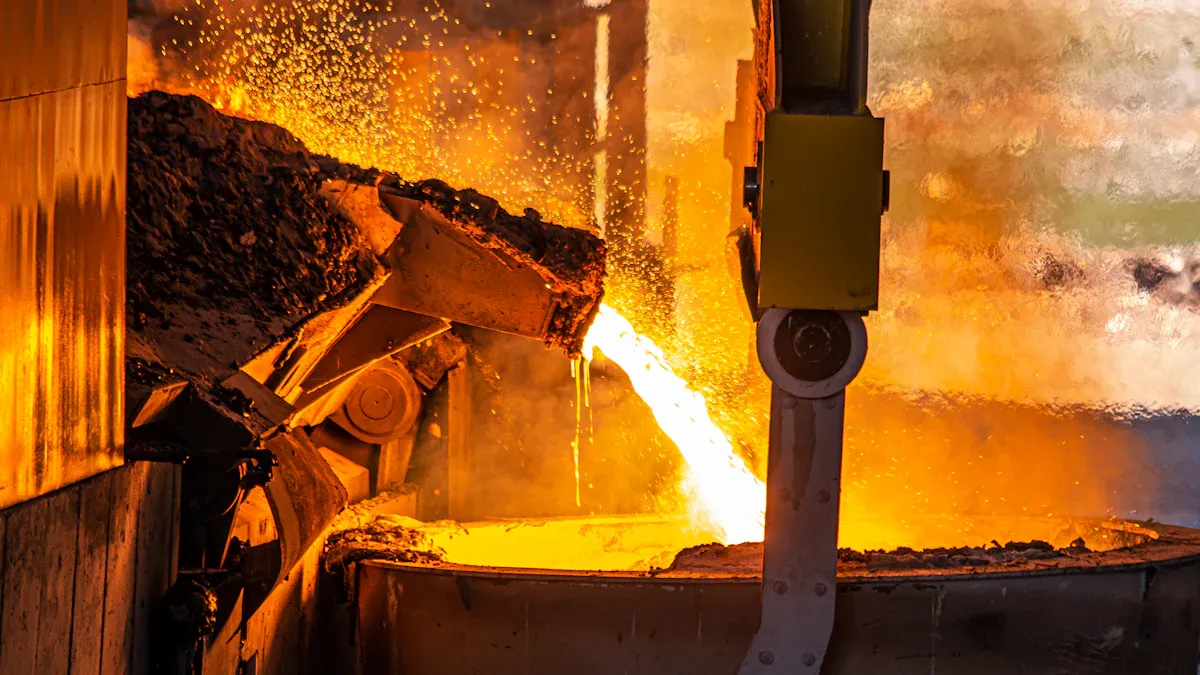
When you pick materials for Electronics die-castings, you should check corrosion resistance, strength, machinability, and cost. The best alloy makes your parts last longer and work better. Strong alloys can handle daily use; a high standard often seen in medical die-castings as well. Good machinability means you can shape parts easily. Cost changes your project’s budget. Every choice in aluminum die-casting can change how your products work and how much they cost to make.
Key Takeaways
- Pick aluminum alloys that do not rust or wear out fast. This helps your electronic parts last longer and work better.
- Make sure the alloy is strong and can handle heat. It should also be easy to shape. Match these things to what your product needs. This helps you get good parts that do not cost too much.
- Choose alloys that are easy to shape and look nice. This saves time and money. You will also get smooth and exact parts.
- Do not make mistakes by forgetting about the place where the part will be used. Think about how long it should last and how it will be made before you pick an alloy.
- Use clear steps from design to finishing. This helps you pick the best alloy and get high-quality die-cast parts.
Key Factors in Electronics Aluminum Alloy Die Casting
Corrosion and Wear Resistance
When picking materials for electronics aluminum alloy die casting, you must think about how well parts fight corrosion and wear. Electronic devices often face tough places. Water, chemicals, and heat can hurt parts over time. If you choose the wrong alloy, your parts may break early.
Here are some common problems with corrosion and wear in aluminum die casting for electronics:
- Parts can rust from water, sunlight, heat, or chemicals. These things can damage protective layers.
- Problems like porosity and shrinkage holes make corrosion and wear worse.
- Black marks may show up on surfaces because of release agents. This can make parts look bad and lower corrosion resistance.
- Hard silicon layers in some alloys make machining harder and cause more wear.
- Surface treatments like anodizing, chromate coatings, and powder coatings help stop corrosion and wear.
- Alloys with silicon, copper, zinc, or magnesium additives resist corrosion better in harsh places.
- Good manufacturing and mold design lower problems and make parts last longer.
- Regular checks and care help you find early signs of corrosion or wear.
- Smart design, like avoiding water traps and sharp corners, lowers corrosion risk.
- Working with trusted manufacturers who follow quality rules means fewer problems.
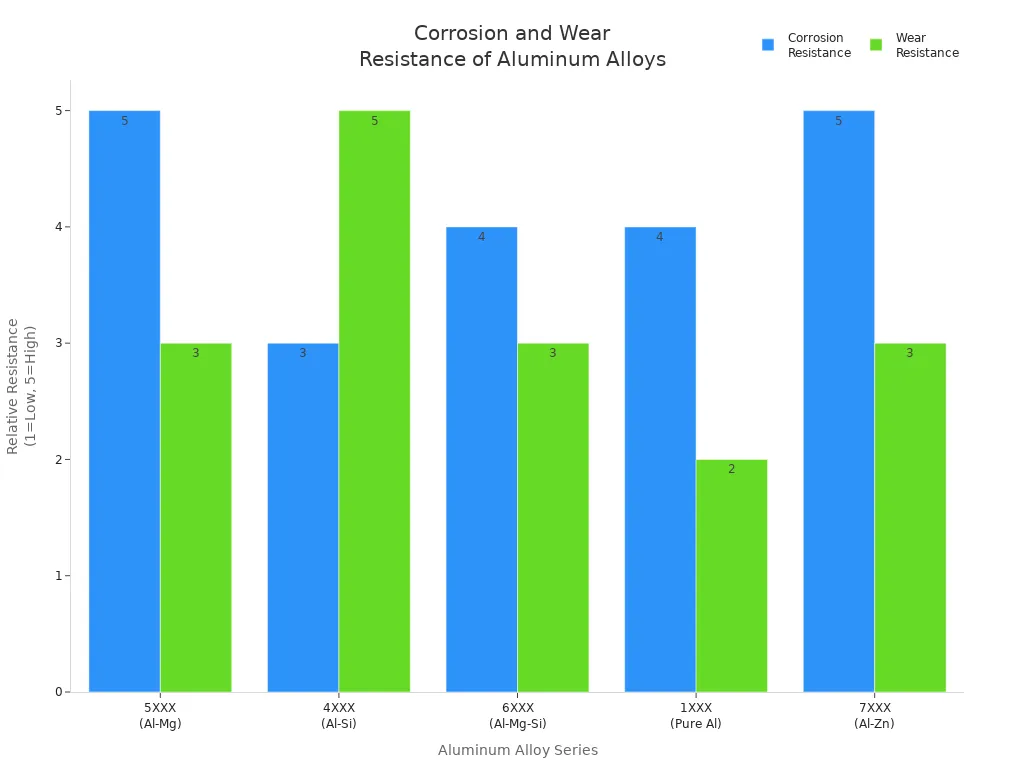
You can see how different aluminum alloys work in electronics by looking at the table below:
| Aluminum Alloy Series | Key Alloys | Corrosion Resistance | Wear Resistance | Relevance to Electronic Environments |
|---|---|---|---|---|
| 5XXX (Al-Mg) | 5052, 5083 | Excellent, especially in marine and moisture-exposed environments | Moderate | High corrosion resistance protects electronics in humid or corrosive atmospheres; used in enclosures |
| 4XXX (Al-Si) | 4032 | Moderate | High | High wear resistance and heat resistance beneficial for components under wear and thermal stress |
| 6XXX (Al-Mg-Si) | 6061-T6 | Good | Moderate | Balanced strength, corrosion resistance, and machinability; popular in consumer electronics |
| 1XXX (Pure Al) | 1100, 1350 | High | Low | High corrosion resistance and excellent electrical conductivity important for electronic applications |
| 7XXX (Al-Zn) | 7050 | Excellent (exception) | Moderate | Generally lower corrosion resistance except 7050; used where strength and corrosion resistance are needed |
Mechanical and Thermal Properties
You want your electronics aluminum alloy die casting parts to be strong and steady. Mechanical properties like tensile strength and hardness help parts survive drops and bumps. Thermal properties matter too. Good heat resistance keeps parts from bending or breaking when devices get hot.
Some alloys, like those with silicon or magnesium, give better strength and heat resistance. If your device gets hot or is used a lot, pick an alloy that can handle the stress. Always match the alloy’s properties to what your product needs.
Machinability and Surface Finish
Machinability tells you how easy it is to cut, drill, or shape the alloy. Good machinability saves time and money. It also helps you make parts with tight fits and smooth surfaces. Some aluminum die casting alloys, like those with more silicon, are easier to machine.
Surface finish matters for both looks and how the part works. Smooth surfaces help with painting, coating, or sticking things on. They also lower the chance of corrosion. If you want a shiny or smooth finish, pick an alloy that allows fine machining and finishing.
Tip: Always ask your supplier about the machinability and surface finish of the alloy you want to use. This helps you avoid problems during production.
Anti-Soldering and Hot Cracking
Anti-soldering means the alloy does not stick to the die during casting. If the alloy sticks, it can hurt both the part and the mold. Alloys with the right mix of elements, like silicon, help stop soldering.
Hot cracking happens when the metal cools too fast and cracks form. This makes the part weaker. Alloys with good hot cracking resistance keep your parts strong and safe. Always check the alloy’s resistance to hot cracking before you start making parts.
By thinking about these key factors, you can make better choices for electronics aluminum alloy die casting. You will get parts that last longer, work better, and cost less to make.
Common Aluminum Die Casting Alloys
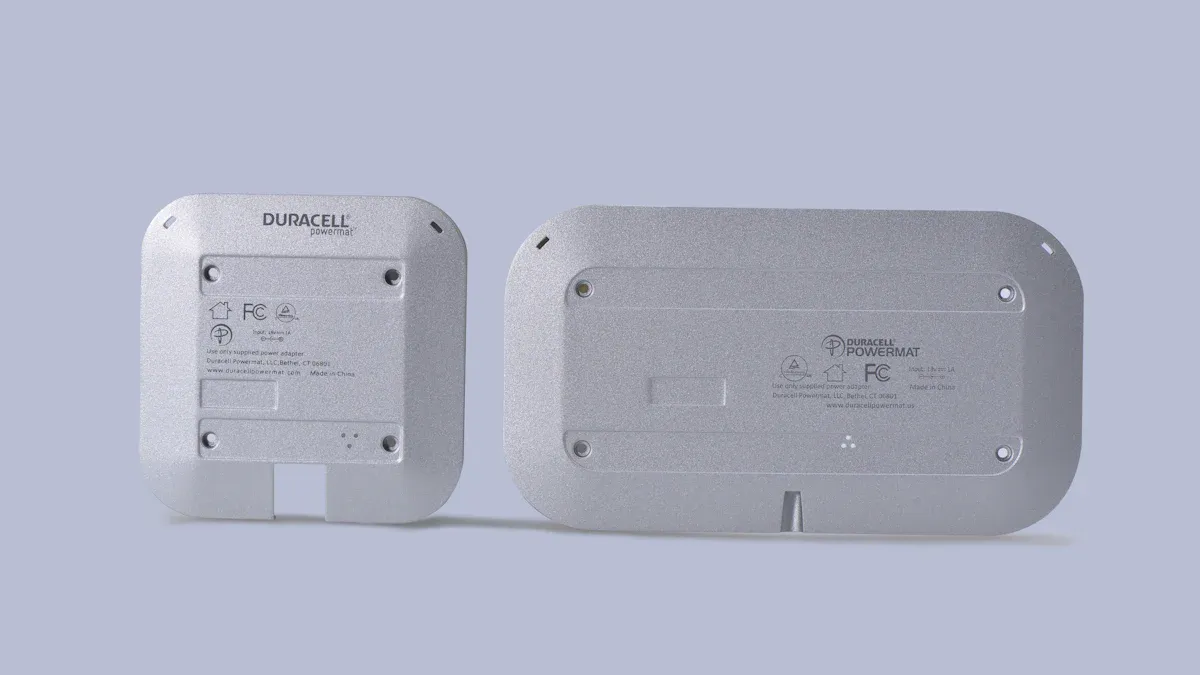
A380, A383, A413, B390, A356
There are several aluminum alloys used in electronics aluminum alloy die casting. Each alloy has its own good and bad points. Here is a simple comparison:
| Alloy | Corrosion Resistance | Mechanical Strength | Fluidity | Machinability | Durability | Electronics Suitability |
|---|---|---|---|---|---|---|
| A380 | Excellent | Great | Good | Easy | High | Chassis, housings |
| A383 | High | Good | Excellent | Easy | Moderate | Intricate parts |
| A413 | Good | Moderate | Superior | Good | High | Pressure-tight parts |
| B390 | Low | Low | Good | Difficult | Very High | Wear-resistant parts |
| A356 | Excellent | High | Excellent | Good | High | Durable components |
- A380 is great for electronic equipment chassis. It fights corrosion and can be shaped into complex forms.
- A383 is best for small, detailed parts. It flows well and resists corrosion.
- A413 is good for parts that must hold pressure. It is not as common but helps with special needs.
- B390 is very hard and resists wear. It is hard to machine, so it is used for tough parts.
- A356 is strong and lasts a long time. It works well in tough places.
Al-Si-Mg Alloys
Al-Si-Mg alloys mix aluminum, silicon, and magnesium. These alloys give a good mix of strength, corrosion resistance, and easy casting. They are used a lot in electronics aluminum alloy die casting.
- Silicon helps the metal flow better and makes casting easier.
- Magnesium makes the alloy stronger and helps stop corrosion.
- These alloys are good for making light parts that last.
You can use Al-Si-Mg alloys for enclosures, connectors, and heat sinks. They are good when you need strong parts with a smooth finish.
Pros and Cons for Electronics
When picking aluminum alloys for electronics, you need to look at the good and bad sides:
Tip: Choose the alloy that fits your part’s needs. Think about the shape, strength, and where it will be used.
Pros:
- High corrosion resistance keeps electronics safe.
- Good machinability saves time and money.
- Great fluidity lets you make thin or complex parts.
- Light parts are good for portable devices.
Cons:
- Some alloys, like B390, are hard to machine and can damage tools.
- Alloys that are not very ductile can crack if not handled right.
- Special alloys or extra strength can cost more.
Knowing these facts helps you pick the best alloy. The right choice gives you strong, long-lasting electronic parts.
Application and Design Considerations
Performance Needs
You must pick an alloy that fits your device’s needs. Each alloy has its own strength, corrosion resistance, and heat flow. For example, 6061 and 6063 are strong. They are good for parts that hold things together. If your device gets hot, 1000 and 6000 series alloys help move heat away. Good corrosion resistance keeps electronics safe in tough places. Some alloys, like 6061, are easy to shape. This helps you make detailed or special parts. When you think about these things, your parts last longer and work better.
Manufacturing and Cost
You should think about how easy it is to make your parts. You also need to think about the price. ADC12 and A356 are used a lot because they flow well and make strong parts. These alloys help you save money when you make many parts. The price of the alloy and your part’s design both change your budget. Alloys that are easy to cast and shape can lower costs. They do this by making less waste and speeding up work.
Tip: Picking the right alloy helps you get good quality and save money. This is very important when you make lots of parts.
Post-Processing
After casting, parts often need extra steps to be ready. These steps include trimming, deburring, and surface treatments. The table below shows some common steps and why they help:
| Step | Purpose | Benefit |
|---|---|---|
| Trimming/Deburring | Remove extra material | Smooth edges, better fit |
| Surface Treatment | Make parts resist corrosion and look better | Lasts longer, looks nicer |
| Local CNC Machining | Add threads or sealing surfaces | More precise and works better |
Some alloys, like A360 and ADC12, make these steps easier. They form shapes with fewer problems. Using machines for post-processing can also save time and money.
If you think about performance, making, and finishing when you pick materials, you can make strong and low-cost electronic parts with aluminum die casting.
Common Mistakes in Alloy Selection
Overlooking Environment
Sometimes people care about strength or price. But they forget where the electronic parts will be used. This can make parts break early. Wet air, water, and hot or cold weather can hurt even strong aluminum die-cast parts. If you do not seal the case well, water can get inside. Water causes corrosion and can make short circuits. These problems can stop your electronics from working much sooner than you think.
Here are some ways the environment can cause trouble:
- Water drops form when wet air touches cool spots inside cases.
- Water makes metal parts rust and can cause short circuits.
- Rust and shorts often make electronics fail early.
- Aluminum die-cast cases fight rust, but bad seals let water in.
- Wet air, heat, cold, and pressure changes can break seals.
- Good sealing (like IP65 or NEMA 4) and special vents keep water out.
- If you do not seal or vent cases well, water can get in and break things early.
Tip: Always check where your product will be used. Pick alloys and designs that keep out water and handle hot or cold weather.
Ignoring Reliability
You want your electronics to last a long time. If you forget about reliability, you may get more returns and unhappy buyers. Some alloys crack or wear out faster than others. If you pick an alloy just because it is cheap or easy to cast, it might break when used. Always match the alloy’s features to the job. For example, if your part gets hot or moves a lot, pick an alloy with high strength and good heat resistance.
Reliability means fewer broken parts and longer life. Test your parts in real-life situations before you choose.
Misjudging Manufacturing Limits
You might design a part that looks good on paper. But not every alloy can make tricky shapes or thin walls. Some alloys flow better when casting, but others do not fill the mold well. If you pick the wrong alloy, you might get cracks, missing spots, or rough surfaces. These problems waste money and time.
| Mistake | Result | How to Avoid |
|---|---|---|
| Wrong alloy for shape | Cracks or weak parts | Match alloy to your design |
| Ignoring flow limits | Missing or rough castings | Ask about how well alloy flows |
| Overlooking machinability | Harder, slower finishing | Pick alloys that are easy to machine |
Always talk to your manufacturer about what each alloy can do. This helps you avoid mistakes and get better parts.
Selection Steps and Checklist
Step-by-Step Aluminum Alloy Selection Guide
You can follow a clear path to pick the best alloy for your electronics project. Each step helps you make smart choices and avoid mistakes.
- Design Your Part
Start with a 3D model. Add draft angles and round corners. Use software to check for weak spots or places where the metal might not flow well. - Choose the Aluminum Casting Process
Pick a casting method that matches your part’s shape and size. Some processes work better for thin walls or detailed features. - Prepare the Mold
Design the mold to guide the metal smoothly. Make sure the mold heats up before casting. This step helps prevent cracks and other problems. - Select the Right Alloy
Look at the needs of your part. Think about strength, corrosion resistance, and how easy it is to machine. Match these needs to the alloy’s features. - Melt and Pour the Alloy
Heat the alloy to the right temperature, usually between 680–720°C. Remove any gas bubbles to keep the metal clean. - Cool and Remove the Casting
Control how fast the part cools. Take the part out of the mold and trim off any extra metal. - Finish the Part
Add surface treatments or machine the part for a better fit. This step makes your part last longer and look better.
🛠️ Tip: Always check each step before moving to the next. Careful planning leads to better results.
Quick Reference Guide for Selecting Aluminum Alloys in Electronics Die Casting
You can use this table to compare common alloys for electronics. It shows what each alloy does best and where you might use it.
| Alloy | Key Features | Best Use in Electronics |
|---|---|---|
| A380 | Good fluidity, strong, low cost | Housings, covers |
| A383 | Better corrosion resistance, thin walls | Small, detailed parts |
| ADC12 | Easy to cast, easy to machine | Consumer electronics, connectors |
📋 Note: Good material selection helps you get the right balance of cost, strength, and durability for your electronics.
You can pick the right aluminum alloy for electronics die casting by using simple steps. Make sure the alloy fits what your product needs. Use a checklist to help you make good choices.
- Check if the alloy fights rust, is strong, and is easy to shape.
- Think about how much it costs and what extra work is needed after casting.
- Try out your design before making a lot of parts.
If your project is tricky, ask a material expert for help. This can stop expensive problems and help you make better products.
FAQ
What is the best aluminum alloy for electronics die casting?
You often find A380 as the top choice. It gives you good strength, easy casting, and strong corrosion resistance. You can use it for most electronic housings and covers.
How do you improve corrosion resistance in die-cast parts?
You can add surface treatments like anodizing or powder coating. These layers protect your parts from water and chemicals. Always check if your alloy works well with these treatments.
Can you use aluminum die casting for thin electronic parts?
Yes, you can. Alloys like A383 and A413 flow well and fill thin molds. You get strong, detailed parts for small devices.
Why does machinability matter in electronics die casting?
Good machinability lets you cut, drill, or finish parts faster. You save time and money. You also get smoother surfaces for better looks and fit.
What mistakes should you avoid when picking an alloy?
Avoid these common mistakes:
- Forgetting about the environment
- Ignoring part reliability
- Choosing an alloy that cannot make your design
You get better results when you match the alloy to your needs.